When you order a paid plan at Sitewig, the first 3 months are free. After that you pay for 12 months at a time, in advance. Here you can see what this means for your account and where to find the dates.
In brief
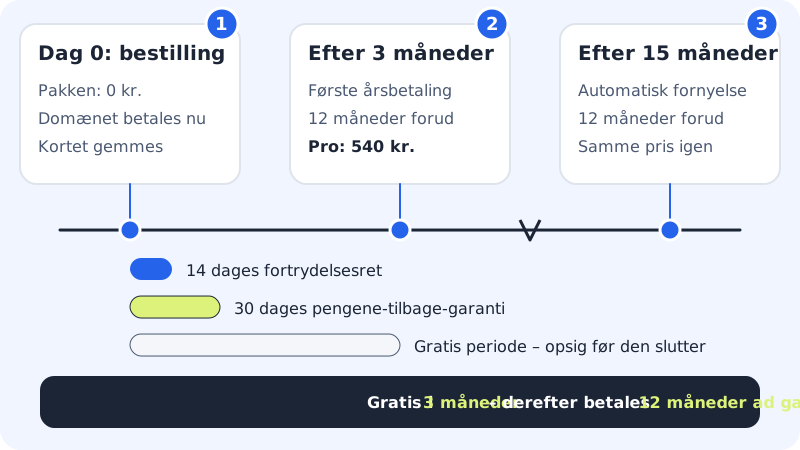
- Today: the plan costs nothing. If you have ordered a new domain, you pay for the domain straight away.
- After 3 months: we charge the price for the next 12 months to the card you paid with.
- Every year after that: the plan renews automatically for 12 months at the same price until you cancel.
What does it cost when the free months end?
The monthly price on the pricing page is the annual price divided by 12. So the amount charged is the full annual price. The prices below are the prices for your country.
Annual payment after the 3 free months
- Starter
- €51.51/yr incl. VAT (equivalent to €4.29/mo incl. VAT)
- Pro
- €88.41/yr incl. VAT (equivalent to €7.37/mo incl. VAT)
- Max
- €176.97/yr incl. VAT (equivalent to €14.75/mo incl. VAT)
- Business
- €346.71/yr incl. VAT (equivalent to €28.89/mo incl. VAT)
- Email Essential
- €29.37/yr incl. VAT (equivalent to €2.45/mo incl. VAT)
- Email Unlimited
- €54.46/yr incl. VAT (equivalent to €4.54/mo incl. VAT)
The Free plan costs nothing and therefore has no free period and no annual payment.
See the amounts before you pay
Step 1: Add a plan to the basket
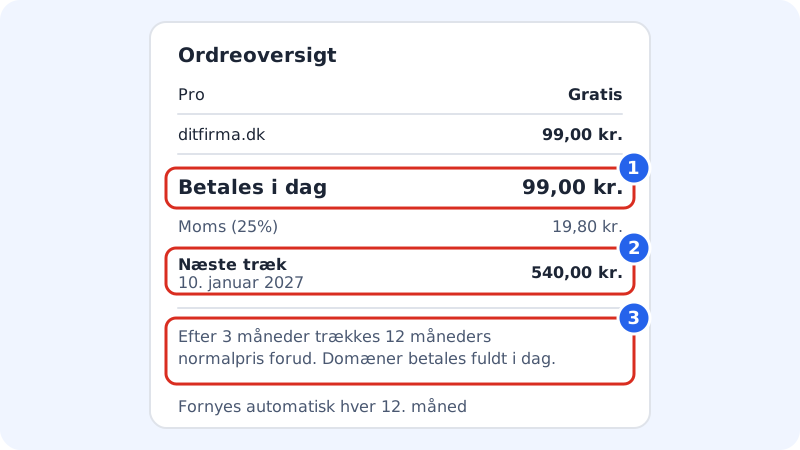
Choose a plan on the pricing page and go to the basket. The order summary on the right shows each item separately. The plan is listed as Free, while a new domain is listed with its price.
Step 2: Check Pay today
The Pay today line is what is charged now. If you have only chosen a plan, there is nothing to pay.
Step 3: Check Next charge
The Next charge line shows the date of the first annual payment and the amount. Below the summary it says that after 3 months, 12 months at the normal price are charged in advance, and that domains are paid in full today.
How to read the order summary in the basket and checkout Step 4: Pay and save the card
When you tap Order and pay, you are taken to Stripe's secure payment page. The card is saved so the annual payment can be charged automatically when the free months end.
When do my free months end?
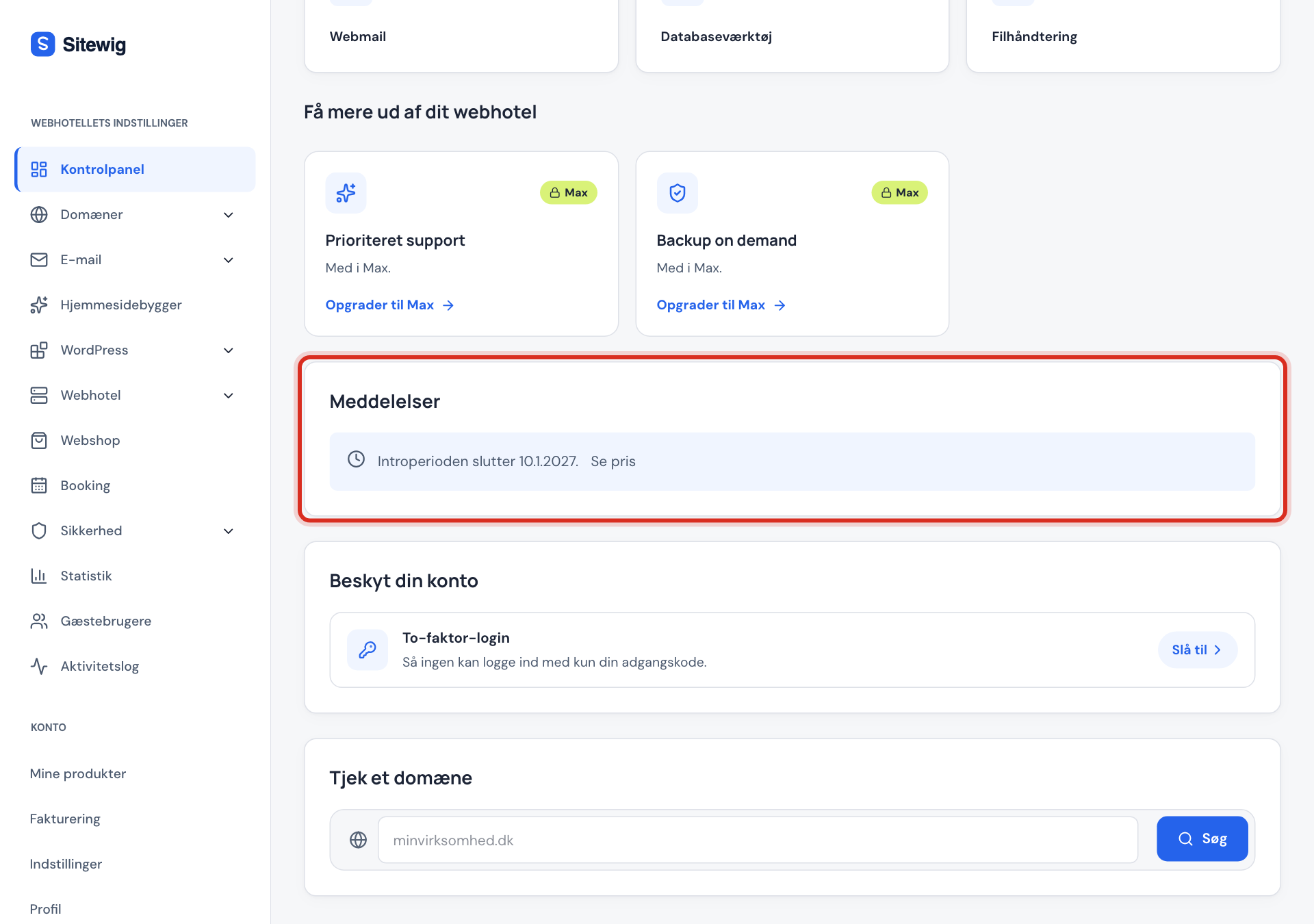
Sign in to the control panel. While the introductory period is running, you see the notice Intro period ends with the date on the control panel's front page. The See price button takes you to My products, where the Renews column shows the date of the first annual payment, and the subscription has the status Trial.
Frequently asked questions
Can I get the 3 free months more than once?
No. The offer applies once per customer and per household or company. If you order another plan later, you pay the normal price from the start.
Why do I pay for a whole year at a time?
All paid plans are paid 12 months in advance. In return, the price is the same every year, and you can always see the amount and the date under My products before it is charged.
What happens if I change plan during the free months?
Nothing is charged while the introductory period is running. The price of the new plan applies from the first annual payment. Read more in What does it cost to upgrade or downgrade my plan?.
Will I be notified before the annual payment is charged?
The terms and conditions promise an email no later than 30 days before and again about 7 days before. The control panel currently states that the automatic reminders have not yet been turned on, so check the date yourself under My products.